Marketing

10 Best Outbound Marketing Automation Tools in 2024

Sanchita - 작성자

Sanchita

0 min read

outbound marketing automation tools


Outbound marketing is often associated with high costs. Since outbound marketing targets cold leads, the conversion rates are also low when compared to inbound marketing.

But the good news is, there’s a way around it.

Any guesses? Well, the answer is automation.

With outbound marketing automation tools, you can automate marketing activities at a fraction of the cost of traditional outbound marketing.

So, how do you choose the right ones?

Well, this blog will help you pick the best outbound automation tools and drive massive results.

First, let's understand what outbound marketing is.

What is Outbound Marketing Automation?

Outbound marketing automation is a process of automating marketing activities using automation software. These activities include researching leads, cold calling, emailing, nurturing, etc.

10 Best Outbound Automation Tools For Every Stage

Customer Relationship Management (CRM) Tools

CRM plays a crucial role in marketing automation. Its job is to manage all the data that you have collected throughout the campaign. With good CRM, you can track the entire lead lifecycle from initial contact to conversion. It ensures that your outbound marketing efforts focus on leads more likely to convert, optimizing your resources.


1. HubSpot CRM
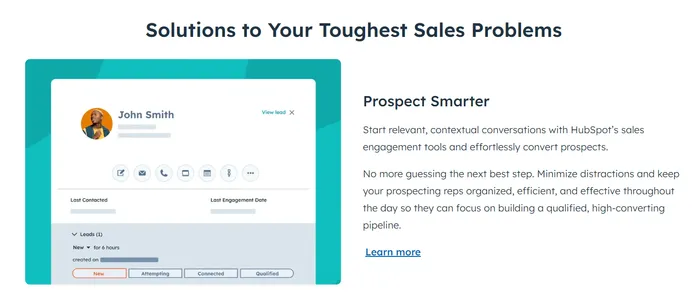
hubspot crm

HubSpot CRM is an excellent tool for B2B marketers. It excels in automating everyday tasks and organizing customer information. With smooth workflows and easy-to-understand visuals, HubSpot simplifies tasks, making data management efficient.


The Contact Management tool helps you efficiently organize and handle customer information. Email marketing lets you easily personalize emails, automatically adding that special touch. Additionally, analytics work like a business detective, gathering valuable insights before you even ask. Together, these tools form a fantastic team for your business, keeping everything running smoothly like a perfectly tuned symphony.


Key features

  • Easy workflow: The workflow features allow you to create sequences of automated actions based on predefined triggers. For example, you are sending an email when someone signs up.

  • Unified data - HubSpot CRM bridges the gap between sales and marketing teams. Its shared interface ensures both teams can access the same information about leads and customers.

Benefits

  • Works for Everyone: HubSpot works for all kinds of companies. Whether it's big or small.

  • Gets Things Done Faster: The tool helps you do things faster, especially recurring ones.

  • Easier customer segmentation : HubSpot CRM allows for the segmentation of contacts based on various criteria. Using this segmentation, B2B marketers can target a specific audience with tailored messages.

2. Pipedrive CRM
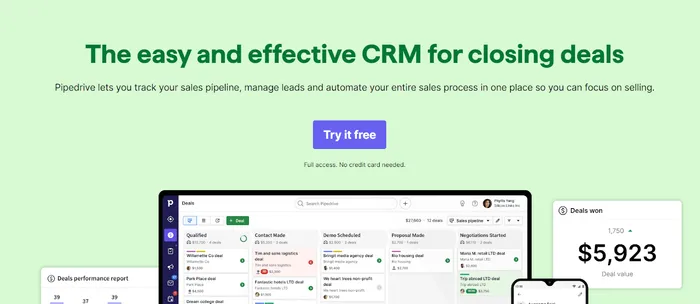
pipedrive crm


Pipedrive CRM is like your personal guide through the sales. Whether you're handling leads or closing deals, Pipedrive does it well. It's easy to use, making sales tasks straightforward and smooth.

Use the Lead Management tool to keep your leads organized and on track. Sales Communication lets you talk to clients quickly, making your interactions more personal. Plus, the analytics act like an intelligent assistant, showing you significant trends and opportunities before you ask. These features make Pipedrive a handy toolkit for your business, ensuring your sales journey is simple and efficient.


Key features

  • Easy Deal Tracking: Keep an eye on your deals effortlessly, ensuring no opportunity is missed.

  • Simple Automation: Automate repetitive tasks easily, giving you more time to build strong customer relationships.

  • Automated Workflows Made Simple: Create automated workflows effortlessly to put your marketing strategy on autopilot.

Benefits

  • Automate Your Workflows Easily: Pipedrive allows you to create automated workflows, putting your marketing strategy on autopilot.

  • Segment Your Audience with Precision: You can easily segment your audience based on demographics and more, allowing personalized marketing to engage your leads effectively.

  • Versatile Templates for B2B and B2C: Pipedrive offers templates suitable for both B2B and B2C businesses, ensuring flexibility in your marketing strategies.

Email Outreach Tools

Reaching out to potential customers leads is a significant part of outbound marketing. However, researching and manually sending every person's mail is time-consuming.

That's where email outreach tools come to the rescue. These tools can automate everything from researching email addresses, validating them, email warmups, and bulk sending.


3. Outreach
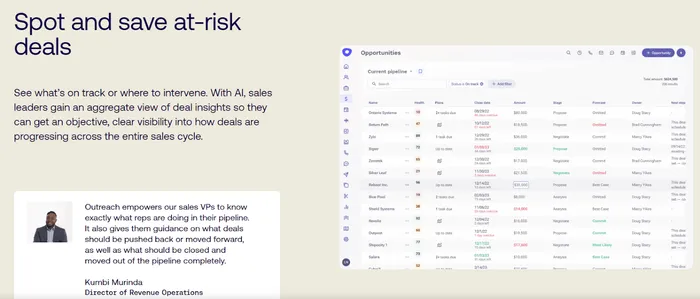
outreach

Outreach is a full-fledged outbound marketing automation platform that empowers your entire sales team — from sellers to front-line managers, sales leadership, and ops. They aim to enable businesses to create and close more pipelines.


Key features

  • AI-Powered Selling: With AI functionality, Outreach helps enhance the selling process and driver productivity.

  • Sales Engagement : This feature helps you personalize sales engagement with prospects and clients.

  • Deal Manager: The deal manager streamlines tracking deals and shows how each deal progresses.

  • Mutual Action Plans : Collaborative planning features for mutual action plans. Enhances coordination and alignment within sales teams.

  • Conversation Intelligence: Utilizes intelligence tools to analyze sales conversations. Extracts valuable insights to inform sales strategies.

  • Representation Coaching: The Rep Coaching feature provides a range of features to facilitate sales representatives' coaching and development.

  • Advanced Analytics and Insights: Provides insights into individual deals. Enables data-driven decision-making throughout the sales process.

Benefits

  • Accelerates the speed at which deals progress through the sales cycle.

  • Empower your sales team to close more deals with our advanced tools and data-driven insights. Boost your win rates and drive revenue growth like never before.

  • Optimizes sales processes, leading to reduced operational costs.

  • Provides a platform that minimizes data security and governance risks.

  • The tool has been constructed with high-security standards to protect organizational data and systems.

4. Snov.io
snov.io

Snov.io is a popular email outreach tool that must be a part of your outbound marketing automation toolset. It's used by bloggers, sales executives, and marketers to reach a mass audience. There's also a free plan, so you can try it before moving to the premium plan. It comes with an inbuilt domain email search to help you find emails based on domain and company name. Best of all, Snov.io notifies you when any recipient opens the email.


Key features

  • Email Verification and Validation : This is the best feature of Snov.io. Many email-collecting tools often get the emails wrong! However, Snov.io offers email verification and validation services. This helps reduce bounce rates and improves deliverability, ensuring marketing emails reach the intended recipients.

  • Email Finder : You can easily find the email addresses of specific individuals or companies.

  • Drip Campaigns : You can also manage drip email campaigns and automated email series to nurture leads and move them through the sales funnel.

  • Email Templates: Snov.io provides a library of email templates that marketing teams can customize and use for various outreach purposes. This feature saves time and helps maintain consistent messaging.

Benefits

  • Email warm-up - Most cold emails end up in the trash because of not warming the email. Snov.io saves the day by creating an email warm-up workflow.


Sales Engagement Platforms

5. SalesLoft
salesloft


SalesLoft crowns itself as the first AI-powered revenue workflow platform. It aims to help sales and marketing teams to take the right action and get the best outcomes. With SalesLoft, you can delight customers, maximize revenue, and increase customer lifetime value quickly. Companies by IBM, Stripe, 3M, and Shopify leverage Salesloft sales engagement.


Key features

  • Team Snippets : Several leads will face similar problems. This might create repetition with certain content. This is where Snippets comes in handy. You can build an entire library of snippets so salespeople can copy and paste.

  • AI-driven analytics - With AI analytics, the sales team can track performance and progress better. There are also customized reports with multiple metrics.

  • Cadences : You can automatically route leads and assign them to reps. There’s also an option to add them into recommended communication workflows called Cadences.

Benefits

  • Create sustainable revenue streams by tapping into your pipeline potential, increasing your deal closure rate, and reducing customer churn.

  • Develop a foundation for reliable growth by turning to deep insights and creating consistency.


6. Groove
Groove


Groove is a Salesforce-native platform that brings the entire revenue process into one unified platform. It's the only marketing automation tool with native Salesforce integration. Benefits include no data latency, sync errors, and a customizable interface. Furthermore, it supports highly customized versions of Salesforce and Salesforce Industry Clouds.


Key Features :

  • Call Recording: You can automatically record and associate external sales calls in Salesforce. Real-time transcriptions with keyword search, review, and categorization. You can also use these sales call-ready for coaching.

  • Sales Coaching : You can share specific meetings internally for review and team coaching. You can also identify improvement opportunities for focused 1:1 sessions.

  • Call Transcription : Every call can be transcribed through Groove Omnibar. There's also a searchable database for transcripts where you can search timestamps and keywords.

  • AI-Powered Insights: Groove translates your meetings and calls into conversational insights. Using these insights, you can understand areas of improvement.

Benefits:

  • Enhanced Visibility : Provide sellers, leaders, and operations with the visibility needed to win more deals.

  • Comprehensive Insight : Record, transcribe, and analyze every sales call, automatically associating insights with the correct Activities and Opportunities in Salesforce.

  • Coaching Opportunities : Identify coaching opportunities and areas for improvement through AI-driven insights.

  • Accelerated Deal Velocity: Speed up deal velocity with additional insights and visibility into opportunities.

  • Confident Decision-Making: Transcriptions make it easy to conduct meetings with confidence.


Sales Prospecting Tools

7. LinkedIn Sales Navigator
LinkedIn Sales Navigator

LinkedIn Sales Navigator is a powerful tool for sales prospecting. This is because LinkedIn has the largest online database of professionals worldwide. You can reach C-level officers within a few clicks. It also boasts powerful features that help sales professionals identify and connect with potential leads more effectively.


Key features

  • Advanced Search Filters : Your sales team can quickly narrow searches with search filters. There are parameters like industry, company size, job title, and location to find highly targeted prospects.

  • Lead recommendation: It also suggests potential leads based on your criteria and saved leads. Thus, you can find hidden, potential leads that may not be found through traditional searches.

  • Updates in real-time: Nothing's worse than having outdated contact data of your lead. Sales Navigator helps with it through real-time updates on lead and account changes. This ensures that sales professionals have the latest information about their prospects.

Benefits

  • Navigator is one step ahead in their game due to the massive databases. However, its potential goes up with its ability to filter leads. It lets you connect to highly targeted leads for a more efficient lead-generation process.

8. Leadfeeder
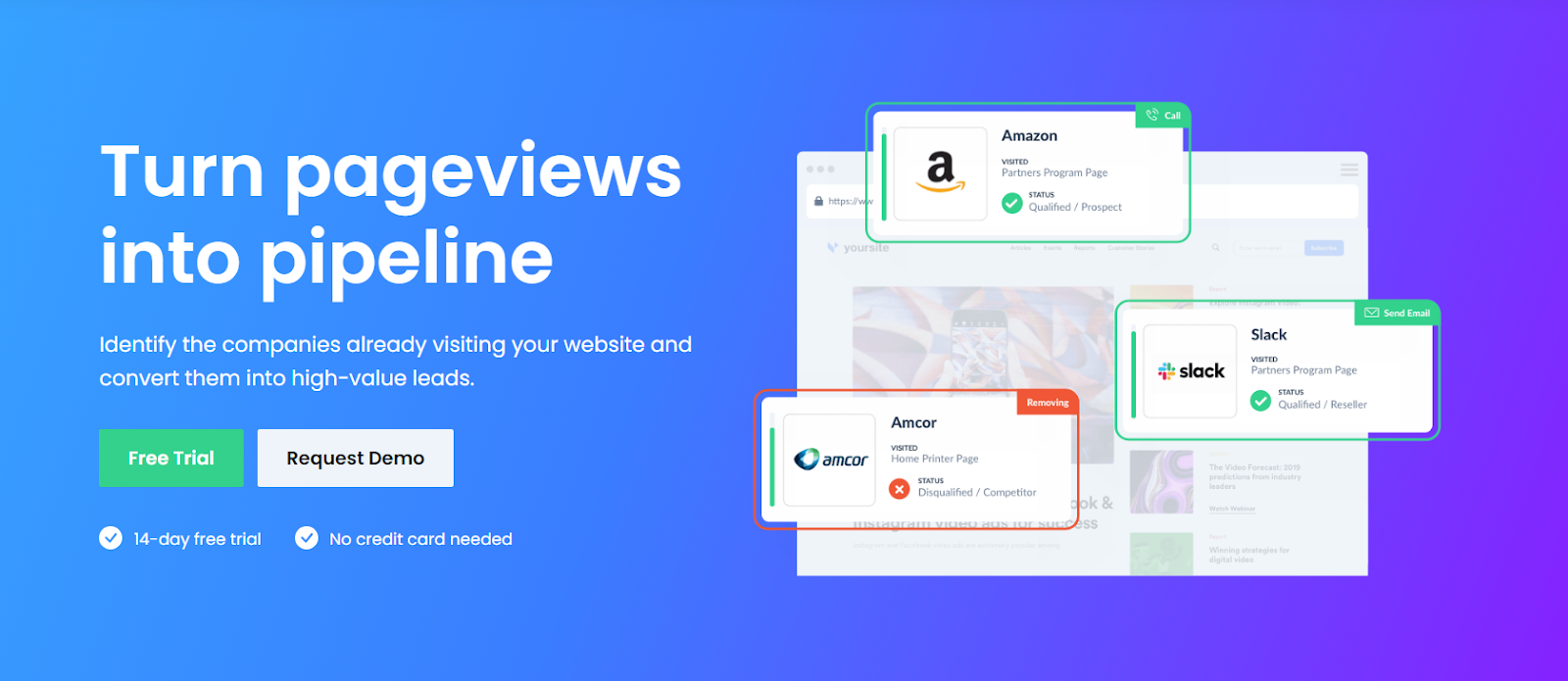
Leadfeeder is a lead generation tool that helps businesses identify and convert website visitors into high-value leads. It allows users to uncover the names of companies visiting their websites, providing insights into their behavior and activities. By identifying companies interested in a website, businesses can prioritize outreach efforts and tailor their sales and marketing strategies for better results.


Key features

  • Automated Lead Generation Funnel: Send qualified leads to your CRM or marketing automation system. Populate your CRM with high-intent leads for your sales team.

  • Segmentation: Segment lists based on industry, geography, employee number, web activity, custom properties, and more.

Benefits

  • Leadfeeder reveals the names of companies visiting your website, turning anonymous traffic into identifiable leads.

  • Integration with CRM systems like Pipedrive, Salesforce, HubSpot, and others facilitates the seamless transfer of lead data.

  • Businesses can capitalize on ready-to-buy leads and engage with prospects before competitors know them.

Sales Enablement Tools

Sales enablement empowers your sales team with the right content, practices, and strategies to close the sale. That's where sales enablement tools help you.

These tools combine everything from content analytics, gamification, sales automation, analytics, and smaller processes to enable sales reps to make a sale. Here, we have explored the best sales enablement tools to automate sales enablement.

9. Seismic
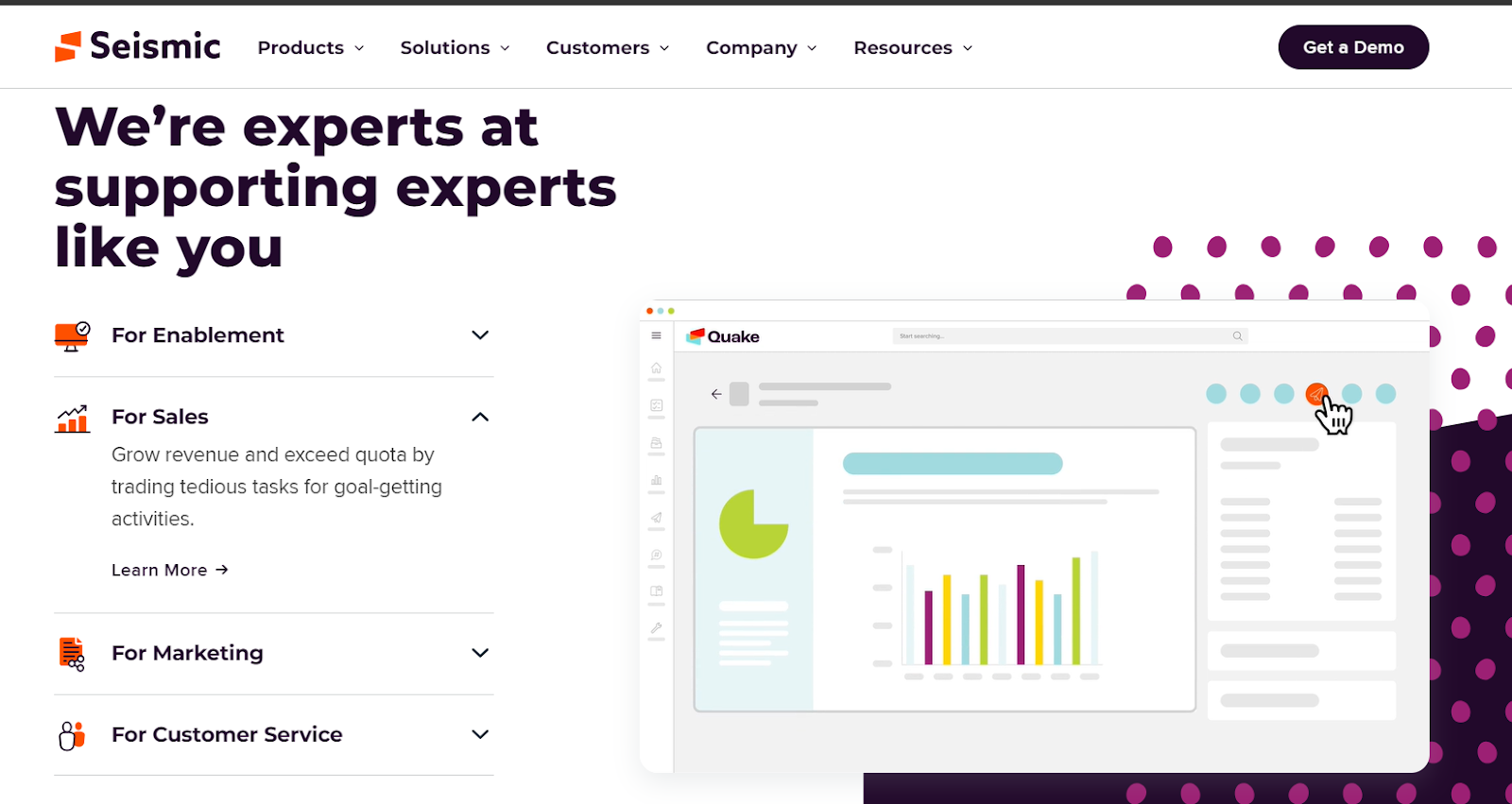
Seismic is a global sales enablement tool to provide your sales team with the skills, content, tools, and insights they need to delight clients and grow the business. Trusted by industry leaders such as Siemens, Wayfair, and Acuity, Seismic offers features tailored to elevate your sales operations.


Key features

  • Sales Content Management: Build, maintain, and control sales content effortlessly, ensuring your team can access it whenever needed.

  • Learning & Coaching: Streamline training and certification processes with easy-to-create lessons, consolidating your sales team's learning in one centralized location.

  • Strategy & Planning: Seamlessly execute, monitor, and evaluate all enablement efforts through a unified workflow. Leverage reporting and CRM integrations to iterate your strategies and plans intelligently.

  • Enablement Intelligence : Gain valuable visibility into factors enhancing sales effectiveness through data-backed insights and analytics. Accelerate deal cycles, improve win rates, and achieve scalable success.

  • Buyer Engagement : Help sellers make smarter decisions, harnessing AI-powered content recommendations to save time and identify engagement opportunities they may have missed

Benefits

  • Accelerate the sales cycle by 12 days using personalized, data-driven content that resonates with potential buyers.

  • It can increase speed to competency by 30% with consistent, trackable training and coaching.

  • You can also develop enablement programs to enhance your revenue generation by coordinating strategy, planning, execution, and insights.


10. Brainshark
brainshark

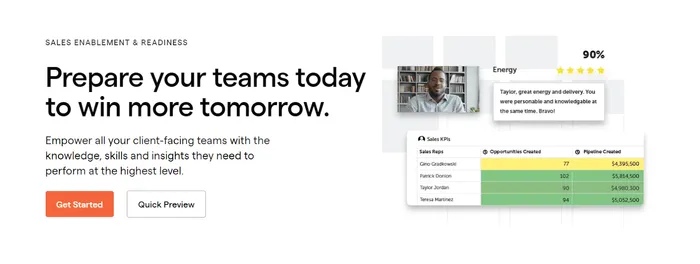
Brainshark is a famous sales enablement tool that helps organizations improve their sales and marketing effectiveness. It offers a wide range of advanced features like content creation tracking to help the sales team enhance their ability to engage with prospects.


Key features

  • Content Sharing and Tracking : The sales team can create and share content via emails, web links, or embedded presentations. There is also a tracking option to see who viewed the document and for how long.

  • Brand Consistency : Helps create branded templates and guidelines to ensure that all the content, including presentations, adheres to the company's branding standard.

  • Sales Enablement : Brainshark facilitates collaboration between marketing and sales teams. Marketing can provide sales with the latest content, ensuring they have the most up-to-date and relevant materials to present to prospects and customers.

  • Training and Onboarding: Create training for new team members so they can get introductions to new products, services, or marketing campaigns

Benefits

  • Before sales representatives go on calls with potential buyers, Brainshark enables them to practice their pitches with peers.

  • AI-powered video scoring assessments help analyze emotions, rate of speech, and filler words, which can highlight areas of improvement in sales agents.

  • Brainshark helps sales teams create multimedia-like presentations and training materials. This presentation can help them engage prospects well and increase sales conversion.


Why Do Business Need Outbound Marketing Automation Tools?


  1. It's Cost Effective

Outbound marketing automation is affordable because it saves time. All those monotonous tasks like lead research, follow-ups, and data entry can be easily automated using the best outbound automation tools .


  1. They Provide Higher Consistency

Consistency is important in sales. Your sales representative must have a common tone of conversation. Imagine if one salesperson uses a friendly tone while the next one is using a business tone and conversing completely different things. This will confuse leads, and they can back off from the deal. That’s where automation tools help you. They are pretty consistent in spreading the message.

What to Look for in Outbound Marketing Automation Tools?

Before you commit to any of the tools, it's important to look at a few factors to help you understand whether it's the right investment or not.


#1. Multichannel capacity :

Marketing today is no longer limited to a single channel. An average person uses more than one channel. So, ensure that the tool you need to invest in supports the omnichannel approach. Omnichannel approach often includes reaching to customers via multiple channels including DM, social media, emails, SMS, telemarketing etc.


#2. Segmentation and Targeting:

Not every customer will be the same. So, you must be personalizing your messaging based on customer segments. The automation tools should help you create particular audience segments based on demographics, behavior, and other criteria to send personalized and relevant messages


#3. Automation and Workflow Management:

The tool should allow you to automate marketing workflows and campaigns. This includes setting up triggers, drip campaigns, and automated responses based on customer interactions.


#4. User-Friendly Interface:

An automation tool is worthless if users find it hard to navigate. While choosing outbound marketing automation tools, choose a user-friendly interface that is easy to set up. This way, your team can make the most of it without requiring extensive technical expertise.


#5. Integration with CRM and Other Tools

Since CRM plays a crucial role in storing information, the marketing automation tools you decide must integrate with CRM. Additionally, check if the tool integrates with your other marketing software and platforms.


#6. Lead Management and Nurturing:

Lead nurturing is essential, as most leads will require more than seven touchpoints for initial conversion. The outbound marketing automation tools must have practical lead management features to help you capture, score, and nurture leads over time. And thus moving them through the sales funnel until they are ready to convert.


#7. Personalization and Customization:

Today’s consumer demands personalized experiences. Look for tools that enable you to customize messages and content based on individual recipient data, such as their name, preferences, or purchase history.


#8. Analytics and Reporting:

Analytics shows how your campaign is in performance. Whatever tool you choose must come with advanced tracking and analytics to help you gather open rates, click rates, conversion rates, etc. It should also offer A/B testing capabilities to optimize campaigns.


#9. Scalability:

Can the marketing accommodate extensive campaigns? What's the limit? How many numbers of contacts, campaigns, and channels do you need to manage?


Conclusion

Time for wrap-up. We hope these best outbound marketing automation tools help you accelerate your marketing. These tools help with everything from outreach, optimizing communication workflows, and analyzing campaign performance so your salespeople can focus on revenue generation tasks instead of data filing work. Which is your favorite outbound marketing tool? Let us know.

Learn more about No-code insights

Subscribe Waveon Newsletter

*Type your email address

Waveon Banner Image

Other articles

AI & No-Code Website Builder Guide: Platforms, Tools, and Startup Use Cases - Marketing | Waveon
Marketing

AI & No-Code Website Builder Guide: Platforms, Tools, and Startup Use Cases

A practical guide to AI website builders, no-code platforms, and startup website tools. Compare approaches for ecommerce, B2B, and MVP launches.

AI Landing Pages & Website Builders: A Complete Guide - Marketing | Waveon
Marketing

AI Landing Pages & Website Builders: A Complete Guide

Compare AI landing page tools and no-code website builders. Find the right approach for campaigns, brand sites, and startup launches.

Marketing Strategy & Growth Guide: Psychology, SEO, and Product Launch - Marketing | Waveon
Marketing

Marketing Strategy & Growth Guide: Psychology, SEO, and Product Launch

A practical guide to marketing strategy covering consumer psychology, personalization, SEO, product launch, and emerging channels like video and chatbots.

Digital Marketing Strategy & Automation: A Complete Guide for SMBs - Marketing | Waveon
Marketing

Digital Marketing Strategy & Automation: A Complete Guide for SMBs

A comprehensive guide to digital marketing strategy and automation for small businesses. Covers marketing automation, content marketing with AI, and growth strategy.

Startup Website Builders: 6 Smart Picks for 2026 - Marketing | Waveon
Marketing

Startup Website Builders: 6 Smart Picks for 2026

Compare startup website builders for lean teams that need fast launches and clear messaging. Find the best fit for your first site.

No-code website for small business lead generation: a practical guide - Marketing | Waveon
Marketing

No-code website for small business lead generation: a practical guide

![Small business owner reviewing no-code website analytics dashboard on laptop for lead generation](https://images.pexels.com/photos/7552374/pexels-photo-7552374.jpeg?auto=compress&cs=tinysrgb&h=650&w=940) If you run a small business, you probably know you “should” have a website—but you might not be sure how to turn that website into actual leads and customers. A no-code website for small business lead generation is a practical way to bridge that gap, even if you have no technical skills and a limited budget. Instead of treating your site like an online brochure, you can treat it like a simple, always-on sales assistant that collects contact details, qualifies prospects, and books conversations for you. ![Entrepreneur viewing responsive no-code lead generation website on laptop and smartphone](https://images.pexels.com/photos/5900034/pexels-photo-5900034.jpeg?auto=compress&cs=tinysrgb&h=650&w=940) In this guide, you will see what makes a no-code lead generation site different from a typical small business website, which tools you actually need, and how to design pages, forms, and popups that convert. We will also look at how to connect everything to your CRM and email tools, and how to track and improve results over time so your site brings in steadily better leads. If you are interested in more focused funnel pages, you may also want to explore how a dedicated landing page builder can support this kind of setup, or how a broader AI website builder fits into your overall marketing stack. ## What a No-Code Lead Generation Website Means for Small Businesses Many small business websites are essentially digital business cards. They list services, share a bit of background, maybe show some photos, and include a generic “Contact us” page. These sites can help people verify that you exist, but they rarely push visitors to take a next step. A no-code website for small business lead generation is built around a different question: “What do I want visitors to do right now, and how do I make that as easy as possible?” On a basic informational website, you usually see a home page with a broad message, a few service pages, an about page, and contact details buried in the footer or a separate contact page. There might be several different links and distractions on every page, from social icons to blog archives. In contrast, a focused lead generation website is organized around clear calls to action, such as “Book a free consultation,” “Request a quote,” or “Get a price estimate in 60 seconds.” Forms are placed prominently, often above the fold on key pages, and repeated in logical places throughout the site so there is always a visible next step. Instead of being passive, the whole experience is designed to guide a visitor from curiosity to commitment. ![No-code landing page design on screen showing clear call to action for small business leads](https://images.pexels.com/photos/16587313/pexels-photo-16587313.jpeg?auto=compress&cs=tinysrgb&h=650&w=940) This lead focus matters because visitors do not spend much time deciding. Various studies show that website visitors form an opinion in milliseconds and often leave within seconds if they do not see value quickly. When you have a sharp message and a clear action button, you give them a reason to stay just long enough to convert. That is why landing pages that focus on a single offer tend to convert better than generic pages. One [HubSpot analysis](https://blog.hubspot.com/marketing/landing-page-stats) found that the average landing page conversion rate across industries is around 5.9%, and many small businesses are far below that simply because their sites are not set up to capture leads. For small businesses, the “no-code” side is just as important as the “lead generation” side. Hiring a developer or agency to build a custom site can easily run into thousands of dollars, and every small change—like tweaking a headline or testing a new form—requires another request and sometimes another bill. A no-code website builder lets you make those changes yourself with drag-and-drop tools, pre-built templates, and simple integrations. This is especially useful when you are moving quickly, testing offers, or working with a small marketing budget. When you can update your own pages and forms in minutes, you are much more likely to keep your website aligned with your current priorities and to experiment with new landing page ideas. There are some situations where hiring a developer or agency still makes sense, like when you need complex custom features or tight integration with in-house systems. But for most small business lead generation needs—service descriptions, lead capture forms, booking widgets, and basic automation—a no-code builder is usually a better fit. It reduces up-front costs, shortens timelines from months to days, and makes ongoing improvements realistic for a small team. If you later decide to expand into more sophisticated experiences, you can often layer additional tools on top of the same foundation, rather than starting over. The specific goals you set for your no-code lead gen site will depend on your type of business. Local service providers, such as plumbers or consultants, usually care about getting people to call, book an appointment, or request a quote. Ecommerce businesses might focus on email signups and first orders. Many B2B businesses want demo requests or discovery calls. A [Growth List round-up](https://growthlist.co/lead-gen-statistics/) noted that roughly a quarter of small businesses do not even know their lead conversion rate, which means they are probably not using their site strategically. When you define simple goals like “10 quote requests per week” or “20 new email subscribers per month,” your no-code website becomes a tool you can actually measure and improve, not just a box you checked years ago. To make these differences more concrete, it helps to compare a typical “brochure” website with a focused no-code lead generation website side by side. | Aspect | Typical Small Business Site (Brochure) | No-Code Lead Generation Site | |------------------------------|-----------------------------------------------------------------------------------|-----------------------------------------------------------------------------------| | Main purpose | Provide basic information and contact details | Capture leads and start sales conversations | | Primary call to action | Generic “Contact us” link, often only on one page | Clear, specific CTAs like “Get a quote” or “Book a free consultation” on key pages | | Lead capture placement | Single contact form buried on a separate page | Short forms or booking widgets placed above the fold and repeated strategically | | Update and testing process | Requires developer or agency for most changes | Business owner or marketer edits pages and tests ideas using no-code tools | | Measurement and improvement | Little or no tracking beyond total visitors | Simple lead goals, tracking of conversion rate, and regular content tweaks | When you look at your own site through this lens, it becomes easier to see where you are closer to the left column and what you might change to move toward the right. If your marketing also relies heavily on paid ads or social media, you can connect this thinking to a dedicated landing page builder approach and create separate campaign-specific pages that plug into the same no-code infrastructure. ## Essential Features of a No-Code Website for Small Business Lead Generation Once you think of your site as a lead engine rather than a brochure, you can see which features really matter. A no-code website for small business lead generation does not need to be complex, but it does need a few essentials working together: clear messaging, trust, easy ways to respond, and simple tools to organize what comes in. On each key page, your first job is to make your value proposition obvious. Visitors should be able to understand in a sentence or two who you help, what you do for them, and why you are a good choice. Headlines like “Stress-free bookkeeping for busy freelancers” or “Same-day AC repair in Austin, guaranteed” tell people immediately whether they are in the right place. Under that, a short subheading can add a concrete benefit or time frame. Many high-converting landing pages studied by [Unbounce](https://unbounce.com/blog/) and others follow this simple pattern of headline plus supporting explanation. Right next to that message, you want a clear call to action and an easy way to respond. That usually means a visible button that leads to a form or booking widget, or even an embedded form above the fold. The form itself should be short and focused. Name, email, and one or two key details (like service needed or preferred time) are often enough to start a conversation. You can ask more questions later by phone or email. When forms are too long or confusing, people simply abandon them and your no-code website for small business lead generation ends up underperforming. ![User filling out simple lead capture form on small business website](https://images.pexels.com/photos/7821577/pexels-photo-7821577.jpeg?auto=compress&cs=tinysrgb&h=650&w=940) Trust signals fill the gap between “This sounds good” and “I am willing to share my details.” For a small business, that can be testimonials with names and photos, star ratings from Google or Yelp, logos of recognizable clients, or mentions of certifications and guarantees. According to various small business website studies, adding social proof like reviews is strongly associated with higher conversions; one 2025 compilation of small business website stats reported that sites using video tend to see noticeably higher engagement and conversion than those without, suggesting that richer proof builds confidence ([source: Marketing LTB](https://marketingltb.com/blog/statistics/small-business-website-statistics/)). You do not need fancy production values—a simple customer quote with a headshot and a short video walkthrough of your process can go a long way. As your traffic grows, more advanced elements like multi-step forms and targeted popups can help you capture leads that would otherwise slip away. Tools similar to Growform or OptinMonster are built around this concept. A multi-step form breaks a longer questionnaire into small, easy steps. The first screen might just ask for a ZIP code and what service someone needs, and the second asks for contact information. Because people have already invested a little effort, they are more likely to complete the form. Many form tools report significantly higher completion rates when using multi-step layouts compared to a single long form, and landing page stats from platforms like Unbounce show that reducing friction at each step can drive meaningful gains in signups. Popups and slide-ins, when used thoughtfully, can also increase the number of leads your no-code website captures. For example, a time-delayed popup might offer a “Free 10-point roof inspection checklist” in exchange for an email address on a roofing site. An exit-intent popup can appear when someone moves their cursor toward the browser’s close button, offering a last-chance discount or a short quote form. While poor popups can be annoying, well-timed ones can convert visitors who were interested but not quite ready to take the main action. Here, borrowing patterns from specialized landing page builder guides can be helpful, since those tools are often built around disciplined popup and form testing. Real-time tools like chatbots add another layer of responsiveness. No-code chatbot platforms such as Chatling, Landbot, or similar tools let you add a chat widget that can answer common questions and collect contact details without you having to sit at your computer. If someone asks for pricing information at 10pm, the bot can reply with a general range and then ask if they would like a personalized quote. When they say yes, it can ask for their email and a few details, then send that lead straight to your inbox or CRM. Tutorials from chatbot providers and conversational design case studies show that these bots can significantly increase engagement on key pages because they meet visitors where they are, in conversational form, rather than asking them to hunt for the right link. The important thing is not to add every possible feature, but to add just enough to make it easy for visitors to say “yes” in whatever way feels most natural to them. Some will prefer a form, some a chat, and some a phone call. A well-designed no-code website for small business lead generation makes all of those paths visible and collects whatever information you need to follow up quickly and professionally. ## Step-by-Step: Building Your No-Code Lead Generation Website If you are starting from scratch—or overhauling a site that is not working—it helps to follow a simple sequence. The process is less about technical skill and more about making clear decisions up front so you do not get stuck tweaking colors for weeks. The first step is choosing a no-code builder that fits your budget and must-have features. Many small businesses do well with all-in-one platforms that combine pages, forms, email, and basic CRM in one place. Others prefer a dedicated landing page tool like [Unbounce](https://unbounce.com/) combined with a separate CRM or email service. When you evaluate options, think practically: Can you create pages using drag-and-drop? Are there templates for service businesses or lead capture? Does it integrate with the CRM or email tool you already use? And does the monthly cost make sense given your traffic and revenue? For a small local business with only a few offers, picking a simpler tool that you will actually use is often better than choosing an enterprise-grade platform you find overwhelming. Once you have a builder, you can plan a basic site structure. For a focused no-code website for small business lead generation, you do not need dozens of pages. A straightforward structure usually includes a home page, one or more dedicated landing pages, and a thank-you page or confirmation page for each form. The home page acts as a hub, giving a clear overview of what you offer and directing visitors to the main calls to action, such as “Get a free quote” or “Book a consultation.” Landing pages focus on specific offers or audiences. For instance, a landscaping company might have separate landing pages for “monthly lawn care packages” and “one-time garden design,” each tailored to that audience. Thank-you pages serve two purposes: they confirm that the form worked, and they give you a chance to suggest a next step, such as downloading a guide, watching a short video, or following you on social channels. A simple real-world example might be a small accounting firm that used to have a generic site listing all services. When they switched to a no-code builder, they created a home page that explained, in plain language, that they help freelancers and small agencies simplify bookkeeping and taxes. Then they added two key landing pages: one for monthly bookkeeping packages and another for annual tax filing. Each page had a simple “Get a custom quote” form and a clear list of what was included. They also set up a thank-you page that explained what would happen next and offered a short checklist to prepare for their call. Within a few months, they were able to see which page generated more inquiries and adjust their pricing and messaging accordingly. After mapping pages, you can set up the core elements that capture and route inquiries. In your builder, create forms for your main actions: quote requests, consultations, and email signups. Configure each form to send submissions somewhere useful: to your email inbox, your CRM, or both. If you use chat widgets or chatbots, add them to key pages like your home page and landing pages and decide what questions they should ask before handing off a conversation. Many no-code platforms also let you set up simple automations, such as sending an automatic confirmation email whenever someone completes a form, or assigning new leads to a specific team member based on what service they selected. ![Business owner connecting no-code website forms to CRM for lead management](https://images.pexels.com/photos/38519/macbook-laptop-ipad-apple-38519.jpeg?auto=compress&cs=tinysrgb&h=650&w=940) Routing inquiries properly is one of the biggest differences between a casual site and a serious lead generation setup. In a casual setup, form submissions might gather in an inbox that nobody checks regularly. In a more deliberate setup, each new lead is tagged, logged, and given a clear owner. The same [lead gen stats](https://growthlist.co/lead-gen-statistics/) that highlight how many small businesses lack visibility into their conversion rates also point out that speed of follow-up has a major impact on closing deals. A basic rule of thumb is that responding within an hour is far better than waiting a day or two; the right no-code automations make that kind of responsiveness feasible, even for small teams. Because this is a guide-style topic, it helps to summarize the build process as a simple checklist you can follow or adapt to your own situation. 1. Define one or two primary goals for your website, such as “get quote requests” or “book consultations.” 2. Choose a no-code website builder that fits your budget, integrates with your tools, and feels easy enough that you will actually use it regularly. 3. Map a lean site structure with a focused home page, one or more offer-specific landing pages, and clear thank-you pages. 4. Create short, purpose-driven forms or booking widgets and place them prominently on relevant pages instead of hiding them on a single contact page. 5. Connect your forms and chat widgets to your CRM or email tool so every new lead is captured, tagged, and sent to the right person. 6. Set up at least one simple automation, such as an instant confirmation email and an internal notification for each new inquiry. 7. Test the full flow from a visitor’s perspective, from first click to thank-you page and follow-up email, fixing any friction you notice. Using this checklist as a rough roadmap keeps you moving forward in a straight line instead of getting lost in details like font choices and button shapes before the basic lead flow is working. Later, if you decide to add more advanced capabilities—like AI-assisted page creation or dynamic content—you can explore how an AI website builder layers on top of the same structure without throwing away what you have already built. ## Designing Pages, Forms, and Popups That Convert Visitors into Leads Once the structure is in place, design decisions determine how many of your visitors actually convert. The good news is that you do not need to guess what works; tools like Unbounce have published years of landing page data and best practices that you can adapt to your no-code website for small business lead generation. Effective landing pages tend to have a few things in common: a focused headline, one primary call to action, minimal distractions, and content that addresses the specific questions and objections of the visitor. If you try to promote every service you offer on a single page, you dilute your message and make it harder for visitors to decide what to do. It is usually better to pick one service or offer per page and write a headline that speaks directly to the outcome your target reader wants. For example, “Book more qualified jobs with done-for-you Google Ads management” is clearer than “Digital marketing solutions.” Below the headline, you can add short sections that explain who this is for, what is included, and what results they can expect. Testimonials and before/after examples help bring these promises to life. Many marketers see higher conversion rates when they simplify navigation on landing pages, removing top menus and extra links that pull people away from the main action. A [HubSpot landing page report](https://blog.hubspot.com/marketing/landing-page-stats) noted that about a third of marketers saw higher landing page conversion rates in 2023 compared to the year before, in part because they focused more on clarity and testing small changes rather than redesigning everything at once. These same habits translate directly to any no-code website for small business lead generation. Form design is a critical piece of this puzzle. People are more likely to start a short, simple form than a long, detailed one. If you need to collect more information to give an accurate quote, consider using multi-step forms. The first step might ask for only one or two easy pieces of information, such as “What service do you need?” and “When do you need it?” Once they click “Next,” you can gently ask for name and contact details, and finally any optional questions that help you qualify the lead. This approach leverages the “foot in the door” effect: once someone has started, they are more inclined to finish. Many form tools and CRO studies report double-digit lifts in completion rates when long forms are broken into logical steps, which is significant when every lead is valuable. Popups and slide-ins can be designed in the same user-friendly way. Instead of interrupting visitors the moment they arrive, set popups to appear after a reasonable delay or on exit intent. You might offer a valuable resource in exchange for an email, like a homeowner’s maintenance checklist, or a small incentive, like a 10% discount on a first service. On product or pricing pages, a slide-in offering “Have questions? Ask us” can encourage people to start a chat or request a callback. Tools similar to OptinMonster have shown through user case studies that targeted campaigns—aimed at specific pages or behaviors—generally perform better than generic, site-wide popups because they feel more relevant and less intrusive. ![Marketer analyzing website conversion rate and lead generation metrics on screen](https://images.pexels.com/photos/12969403/pexels-photo-12969403.jpeg?auto=compress&cs=tinysrgb&h=650&w=940) A practical way to design for conversion is to walk through your own pages as if you were a first-time visitor. Ask yourself: Is it obvious what this business does and who it serves? Do I know what I am supposed to do next? If I am interested but not ready to commit, is there a softer option, like downloading a guide or asking a question? By adjusting headlines, cleaning up layouts, and refining forms and popups based on these questions, you can gradually turn your no-code website for small business lead generation into a consistent source of inquiries. If you want a deeper dive on the page-level details, pairing this with a dedicated guide to landing page builders can help you make even more focused improvements. ## Connecting Your No-Code Site to CRM, Email, and Support Tools A lead is only as valuable as your ability to follow up. That is where integrations come in. A strong no-code website for small business lead generation does more than collect emails; it feeds them into systems that help you track, nurture, and serve those leads over time. Integrating your forms and chatbots with a CRM is one of the most impactful steps you can take. When a visitor fills out a quote form or asks a question in your chat widget, those details can be sent directly to your CRM, where a new contact is created, tagged with the source (for example, “Website – AC repair form”), and assigned to the right person on your team. This means you can see at a glance how many leads are coming from your site, which services they are interested in, and where they are in your pipeline. Over time, you can identify patterns such as which landing pages produce the most closed deals, not just the most form fills. Email marketing connections add another layer of leverage. When someone submits a form, you can automatically add them to a specific email list or segment and trigger one or more automated messages. That might start with a simple confirmation email letting them know you received their request and when to expect a reply. From there, you could send a short sequence of helpful emails that answer common questions, share case studies, and remind them to schedule a call if they have not already. Research from providers like [Mailchimp](https://mailchimp.com/resources/email-marketing-statistics/) and others shows that timely follow-up emails after a signup or inquiry tend to have high open and engagement rates, and they help keep your brand top-of-mind while a prospect is deciding. For businesses that provide ongoing service or support, linking your website to shared inboxes or help desk tools keeps everyone aligned. If a customer submits a support request through a form on your site, that message can create a ticket in your help desk system. If that same person later fills out a form asking about an upgrade, your sales team can see their support history and respond with appropriate context. This shared view of each lead and customer reduces dropped balls and prevents people from having to repeat themselves when they talk to different team members. The technical side of these integrations is usually simpler than it sounds, especially with modern no-code builders. Many platforms have direct connections to popular CRMs and email tools, or you can use an automation service like [Zapier](https://zapier.com/) or [Make](https://www.make.com/) to connect them without writing code. The key is to decide on a basic workflow: which form goes to which list or pipeline stage, who gets notified, and what happens next. Once that logic is in place, your website shifts from being a passive entry point to an active participant in your lead management process. If you are already exploring how an AI website builder fits into your stack, think about these integrations early so you do not have to rewire everything later. ## Tracking, Testing, and Improving Lead Generation Results The last piece of the puzzle is measurement. If you do not track how your no-code website is performing, you will fall into the trap mentioned earlier: running a site without any idea of your conversion rate. That is common—one study cited in the [Growth List lead generation statistics](https://growthlist.co/lead-gen-statistics/) found that about 25% of small businesses are unaware of their lead conversion rates—but it is avoidable with a bit of setup. Start by installing basic analytics, such as [Google Analytics](https://marketingplatform.google.com/about/analytics/), and setting up conversion tracking for your main actions. In many tools, that can be as simple as marking your thank-you pages as conversion goals or adding event tracking to your form submissions. The goal is to answer a few simple questions: How many people visit my site? Which pages do they see? Which pages lead to the most form submissions or bookings? And which traffic sources—such as Google search, social media, or paid ads—produce those conversions? Once you can see this data, you can start running small, focused tests. A/B testing, where you compare two versions of a page or element, is built into many landing page and popup tools like Unbounce and opt-in focused platforms. You might test two different headlines, two different images, or a short vs. longer explanation of your offer. The important thing is to change one major element at a time and give the test enough traffic to reach a useful conclusion. Industry benchmarks like the [Unbounce conversion rate report](https://unbounce.com/average-conversion-rates-landing-pages/) show that while average landing page conversion rates hover in the low-to-mid single digits, the top performers often double or triple that by iterating on copy and structure rather than chasing gimmicks. Beyond quantitative metrics, you should also gather qualitative feedback about lead quality. Sit down regularly with whoever handles sales or service and review a sample of recent leads from your website. Are they the right type of customer? Do they understand what you offer, or are there consistent misconceptions? Are they providing enough detail for you to respond quickly with a useful quote? If many leads are unqualified or confused, that is a sign your on-page messaging or form questions need adjustment. For instance, adding a required budget range field or clarifying which locations you serve can filter out people who would never be a good fit. You can also refine your follow-up workflows based on this feedback. If you notice that leads who receive a same-day response convert at a much higher rate than those who wait two days, you might adjust your automations and staffing to make rapid follow-up the default. If people often ghost after an initial quote, a simple reminder email a few days later, or a short FAQ email addressing common concerns, can bring some of them back. Each of these tweaks is manageable within a no-code ecosystem, especially if you keep your tools minimal and your goals clear. ![Small business team planning no-code lead generation website strategy around a laptop](https://images.pexels.com/photos/7688173/pexels-photo-7688173.jpeg?auto=compress&cs=tinysrgb&h=650&w=940) Over time, this habit of tracking, testing, and refining will compound. Instead of hoping your site works, you will know roughly how much traffic it needs to generate a certain number of leads, and how changes to copy, design, and workflow impact those numbers. At that point, a no-code website for small business lead generation stops being just a project you completed and becomes an asset you manage. When you are ready to go deeper, pairing this approach with resources on landing page builders and AI website builders will give you a broader set of tools to keep improving results. ## Bringing It All Together A no-code website for small business lead generation is not about having the fanciest design or the most tools plugged in. It is about turning your site into a simple engine that consistently nudges visitors toward clear, measurable actions—like requesting a quote, booking a call, or joining your email list—and then making it easy for you to follow up. If you boil this guide down to the essentials, there are a few ideas to keep in mind. First, move away from the “online brochure” mindset and decide what you actually want visitors to do. Second, use a no-code builder so you can manage pages, forms, and small experiments yourself instead of waiting on a developer. Third, keep each key page focused: a clear promise, strong social proof, and one primary call to action, supported by short, low-friction forms or booking tools. Fourth, connect everything to your CRM and email so every inquiry lands in the right place and gets a timely response. Finally, keep an eye on your numbers and be willing to test small changes rather than chasing complete redesigns every few years. You do not have to implement everything at once. A practical way forward is to pick one page and one goal to improve over the next couple of weeks. For most small businesses, that is the home page or a core service page with a single, clear action like “Get a quote.” Rewrite the headline so it spells out who you serve and what result you deliver, tighten the copy below it, simplify your form to the minimum useful fields, and make sure submissions trigger a clear thank-you page and an automatic confirmation email. Once that flow feels solid, you can extend the same pattern to additional landing pages and start experimenting with multi-step forms, popups, and basic A/B tests. If you are already using a landing page or AI website builder, the next step might simply be to connect the dots: make sure those tools are integrated with your CRM, that your analytics is tracking form completions properly, and that someone on your team owns follow-up within a set time frame. From there, improving your lead generation becomes an ongoing habit rather than a one-off project. The tools will keep evolving, but the core approach—clear offers, easy actions, and consistent follow-through—will keep working for your business for a long time.

No-Code Ecommerce Platforms: 7 Best Picks for 2026 - Marketing | Waveon
Marketing

No-Code Ecommerce Platforms: 7 Best Picks for 2026

Explore no-code ecommerce platforms for brands that want speed without developers. Compare features, tradeoffs, and choose faster.

Best Landing Page Generators: 7 Picks for Small Business - Marketing | Waveon
Marketing

Best Landing Page Generators: 7 Picks for Small Business

Compare the best landing page generators for small business growth, lead capture, and speed. Find the tool that fits your budget.

AI Website Builders for Ecommerce: 7 Best in 2026 - Marketing | Waveon
Marketing

AI Website Builders for Ecommerce: 7 Best in 2026

Comparing AI website builders for ecommerce, including Shopify alternatives, pricing, and fit. See which builder suits your store.

Learn more about No-code insights

Subscribe Waveon Newsletter

*Type your email address